Formal letter template in LaTeX
A letter to the dean's office, an official request or a cover letter - this template lays it out with sender, date, recipient, a standard greeting and closing, and space for a signature.
- Standard formal letter layout
- Greeting and closing phrases ready to edit
- Space for a signature and attachments
- Compiles to a clean PDF the first time
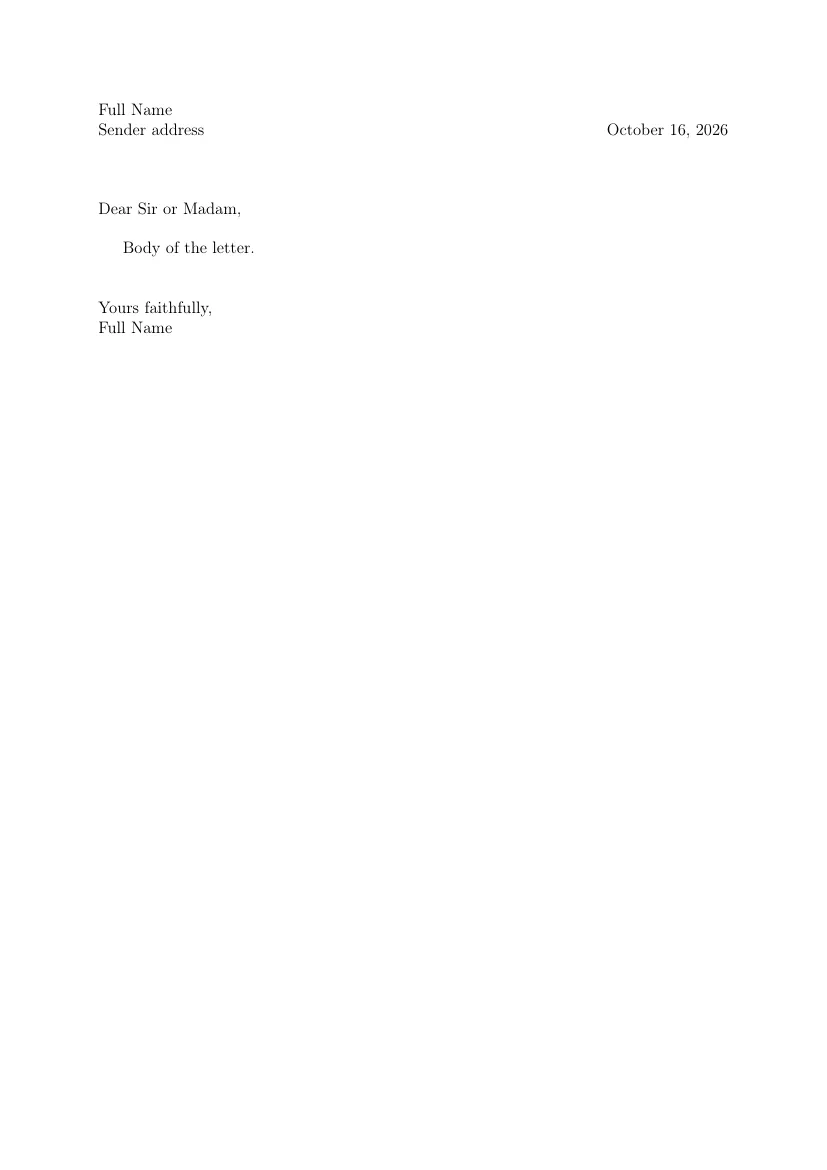
Template code
% --- CamteX: Formal letter ---
\documentclass[a4paper,12pt]{article}
\usepackage[utf8]{inputenc}
\usepackage[T1]{fontenc}
\usepackage[english]{babel}
\usepackage[margin=2.5cm]{geometry}
\pagestyle{empty}

\begin{document}
\noindent Full Name \\
Sender address \hfill \today

\vspace{1.5cm}

\noindent Dear Sir or Madam,

\vspace{0.5cm}

Body of the letter.

\vspace{1cm}

\noindent Yours faithfully,\\
Full Name

\end{document}
Don't type math by hand.
Snap a photo of your handwritten notes or draw a formula, and CamteX AI turns it into LaTeX and inserts it into your document. 3 scans without an account, then 10 every month on the free plan.
How to use this template?
- "Open in CamteX" loads the template into the editor in your browser, and "Open in Overleaf" creates a new project with it.
- You can also copy the code and paste it into your own document.
- Fill in your details and content: the structure and preamble are ready.
- Compile to PDF.
Frequently asked questions
- Which packages does this template use?
- inputenc (UTF-8 encoding of the source file), fontenc (T1 fonts, so accented characters copy and hyphenate correctly), babel (document language: section names, the date and hyphenation), geometry (page margins). All of them ship with TeX Live and Overleaf, so there is nothing to install.
- How do I compile this template?
- With pdfLaTeX, the default on Overleaf and in TeX Live. The document uses the article class (A4 paper, 12 pt font), and the babel package sets the language to English.
- Can I edit the template without installing LaTeX?
- Yes. "Open in CamteX" loads the template into the editor in your browser, and a TeX Live server builds the PDF (with a free account). "Open in Overleaf" creates a new Overleaf project with this code.